How the iPad is making its way into the classroom
As the students of Debbie Iantorno's first grade class file in, the sound of their excited whispers fills the science room. They are working with iPad minis today.
In this lesson, the class is using the tablets to photograph chicken eggs that have been incubating for almost two weeks. The kids have been tracking their progress by writing their observations next to the picture. Instructions are brief-just a small review of what the icons mean. Once the children are left to their own devices, they are naturals. Snapping photos of the eggs, of each other, they create collages that reflect the classroom environment with little direction.
Click to listen to a sample of Iantorno's iPad lesson
(Medill/Annie Chang)
Iantorno's classroom at St. Athanasius is just one of many examples of the growing trend of iPad usage in schools, particularly with younger students. The school received 10 iPads and 20 iPad Minis after applying for a grant earlier in 2013. It has only had the new technology for a couple of weeks, and already Iantorno and her fellow teacher Shawna O'Gara see a difference in how the children learn.
"It's something fun for them to do and they feel like it's a game, not necessarily like they are learning something," says O'Gara.
Courtney Blackwell, a second-year PhD student at Northwestern University, has been studying the effects of technology on children's learning. Her interest specifically in the use of iPads in schools bloomed as she saw increased integration of iPads in preschool and kindergarten programs. Blackwell monitored four different classrooms with varying levels of iPad use; two classrooms had a few iPads for the entire class while the others were 1:1 programs (one iPad per student). In all four classrooms, teachers welcomed the use of iPads with enthusiasm, she says.
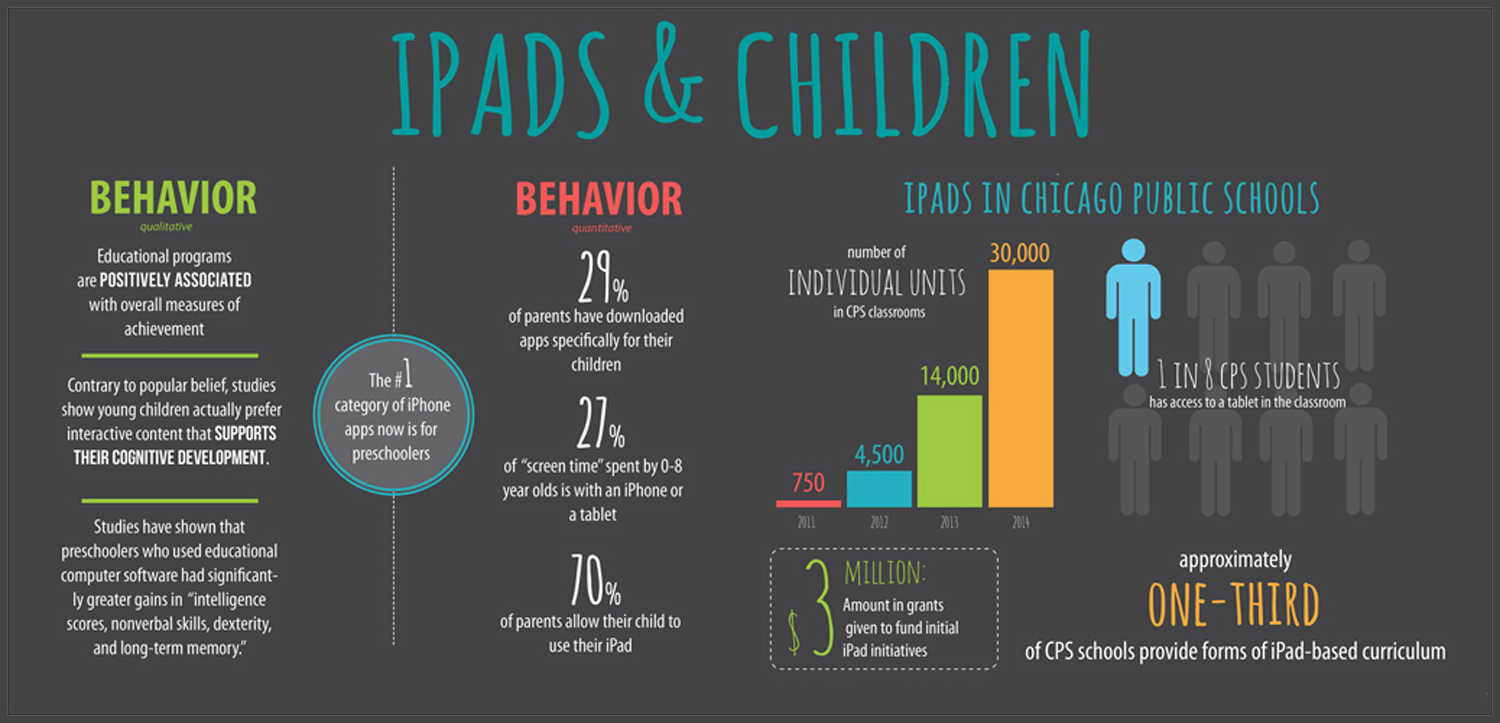
The numbers keep on growing. According to Blackwell, Apple sold 1.5 million iPads to K through 12 educational institutions. That number, she says, has tripled to 4.5 million.
Bringing cutting-edge technology like iPads into the classroom is encouraged, especially at the administrative level, Blackwell says. Federal programs such as the Race to the Top and the Early Learning Challenge are sources of motivation and funding for teachers to incorporate the devices in their lessons. Schools can also receive grants from local foundations - this was the case with District U-46 in Elgin, Ill., which Blackwell has been studying for the past several months.
Kristin Ziemke, a first grade teacher at Burley School, wrote a grant proposal in 2010 and received 30 iPads for her school. Groups of five or six students would share one iPad. The number of devices expanded in 2011, to the point where each child would receive to use his or her own iPad during a lesson.
"We wanted to explore because it enhances inquiry and creativity in the classroom as well as provides resources for students to accommodate different types of thinking." Discover more about how iPads are integrated into the lives of children (click to expand)
Why are these tablets becoming increasingly popular in classrooms? For one thing, Blackwell says, it is much easier for children to use.
"It's cognitively simpler-you don't have to use the mouse," she explains. "You can avoid having to use motor skills." Not to mention it is compact, transportable and cheaper than computers. Jennifer Magiera, the Digital Learning Coordinator for a neighborhood of 25 Chicago Public Schools, successfully applied for a grant to bring iPads to the public school curriculum.
"There's something about the kinesthetic quality of iPads that you can't get in traditional computer devices," says Magiera. Her students use screencasting apps that combine a digital whiteboard with narration and sound, so they can layer multimedia. According to Magiera, "it helps with opening up their cognitions, to see and hear what the student is thinking in real time."
In a world that is constantly moving forward technologically, teachers place high importance on preparing kids for the permanence of iPads in daily life. In the opinion of Iantorno, it is inevitable.
"They use them at home. Their mom and dads use them. They're going to be using them in high school. They're going to be using them in college. Their careers are going to have them. I know they're only six but you have to think that far ahead."
However, there is a question, Blackwell says, of whether or not children are actually benefitting from this interaction. Previous research shows that until they are about 15 months old, children do not benefit from educational videos.
The interactivity of the iPad may have the potential to fill this educational deficit. Students at St. Athansius use video to connect with students like themselves. They have pen pals in Brazil that they Skype every so often. Ziemke's students used iPads to investigate bats by sharing information with students at other schools. Classrooms participated in a virtual discussion with one another and "met" their research partners.
While the iPad seems to have many benefits for children, parents still have qualms, particularly when technology can threaten the benefits of natural play. Rebecca Dunn, whose 5-year-old son will be entering kindergarten in the fall, is conflicted.
"I definitely prefer hands-on learning and I don't feel like the iPad is necessarily hands-on-he's manipulating things but it's not the same as playing," Dunn says. "At the same time, I feel like he needs to know technology."
Dunn's son mostly uses the iPad for entertainment purposes at home. His games of choice: Curious George and Cat in the Hat, which provide activities like matching and drawing. Dunn and her husband try to limit the amount of time their son spends in front of a screen. Despite limiting exposure, Dunn says her son's response to the iPad is sometimes concerning.
"I notice the difference when we take it away," Dunn admits. "When it's time to turn off the iPad, there's a temper tantrum and that really bothers me. It's like he's obsessed with it and he can't get enough."
Aileen Cruz, a mother of two girls who are 4 and 7, says she welcomes iPad assignments when the children bring them home, but prefers her children use other methods of finding information. For example, when they are trying to find a particular state, Cruz prefers her children looking it up on a physical map or in an encyclopedia. Watch the video to see how Cruz and her children interact with the iPad at home
Because the idea of educational iPad programming is relatively new, it is difficult to say whether or not it makes a difference in how children learn. Magiera believes this uncertainty can deter teachers from stepping into the 21st century and implementing iPad programs in their own schools. No one wants to gamble with the minds of children, but Magiera says that learning from mistakes is incredibly important, especially when introducing new forms of learning.
"I think a lot of teachers are afraid to try," Magiera says. "It's actually more powerful when you try something that doesn't work. Then you make it better."
The key is to adapt the curriculum to the device. As the nature of educational tools changes, so too must the nature of the curriculum. According to Magiera, teachers must ask themselves a very important question: Am I teaching this curriculum because I want to teach it or am I teaching it because I want my students to be better?
The problem is the amount of time it takes teachers to sift through and test the hundreds of thousands of educational apps floating around cyberspace. That's where new companies like eSpark come in. Founded in 2010 by David Vinca, eSpark helps schools effectively implement iPad-based programs.
Listen to Russom talk about iPad apps and their
place in young education curriculum.
(Medill/Hilary Sharp)
Jonathan Russom, eSpark's Partnership Delivery Manager, trains students and teachers to use the eSpark platform. Based on the apps they have carefully tested, rated and chosen, eSpark provides pre-lesson and post-lesson evaluations that teachers can use to track individual students' progress. It cuts down on the amount of resources schools need to accomplish that themselves.
"Districts don't have a person who can devote enough time to downloading these 100,000 educational apps and actually playing them and aligning them to curricular standards in a way that would be accessible to teachers. We do that. We've aligned them to the common course state standards."
Currently, eSpark offers curriculum for math and reading, but not science and social studies. The problem, Russom says, is that developers have not created apps for those subjects that are as effective. The same problem occurs when looking at apps for any grade levels past the eighth grade. Effective learning content just has not been developed for older students.
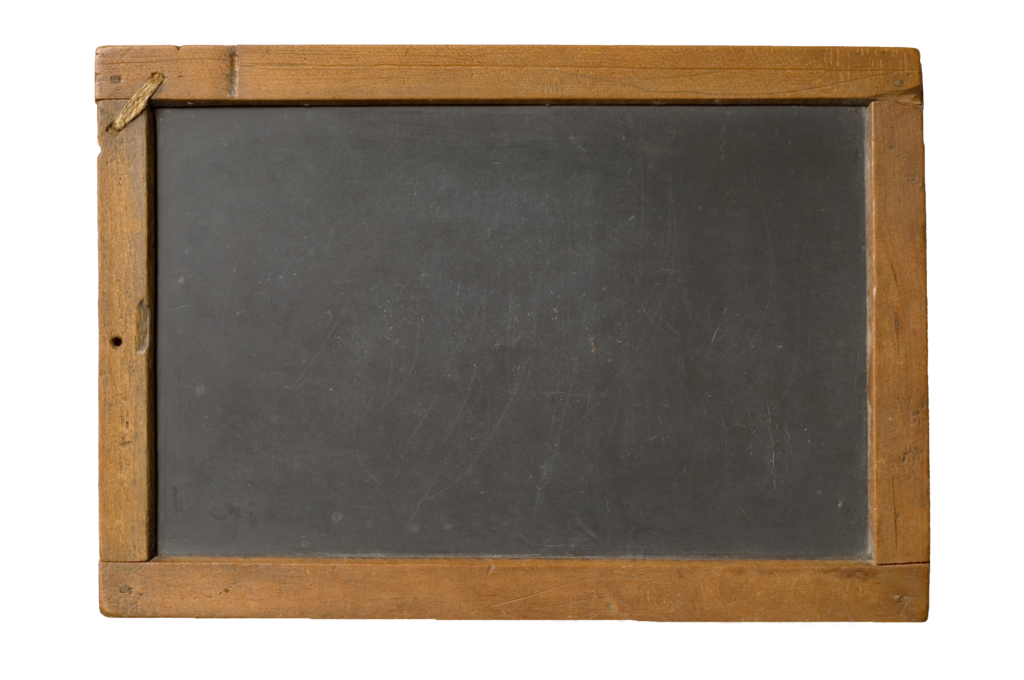

A classic that still exists today, the chalkboard was first used in the United States at West Point by an English mathematician. Since then, the tool has been modernized with a porcelain enamel, actual chalk instead of pieces of slate, and blocks of felt are used as erasers rather than rags.
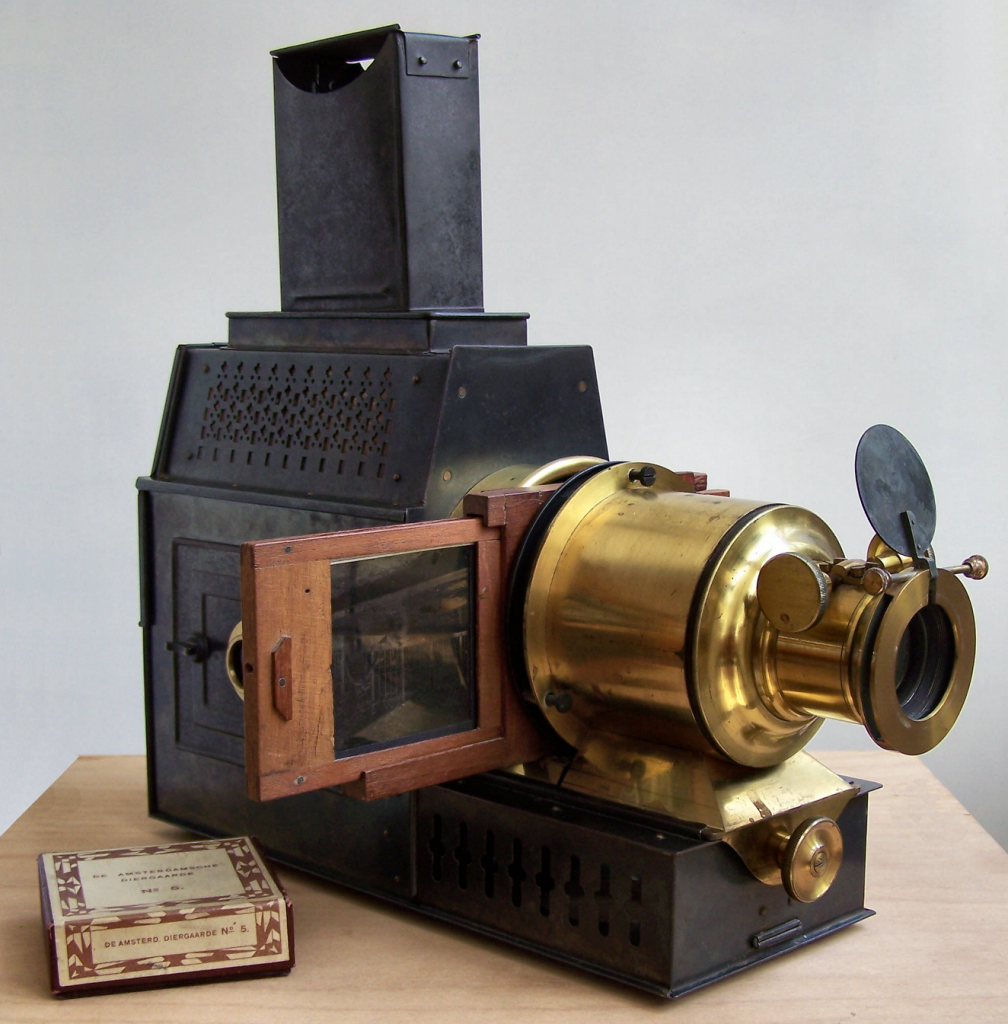
The Magic Lantern images printed on glass plates, some of which were completely hand-painted, but also included photographic images. It was used for the demonstration of scientific principles and to relay the latest world news.
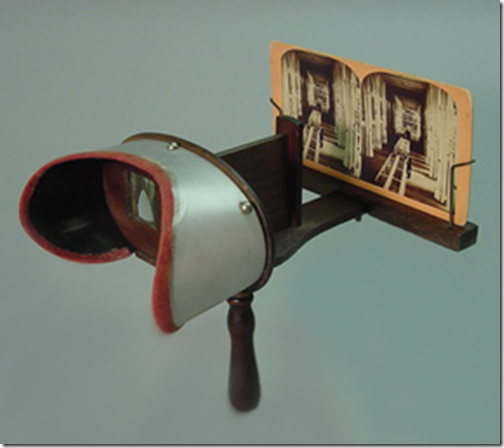
Stereoscopes show users a three-dimensional view of slides, and they were primarily used for entertainment among families. However, once they entered schools, images were meant to illustrate points made throughout lectures.
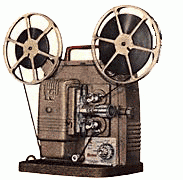
Film projectors were once popular among primary and secondary schools, where still images were projected similar to the motion-picture projector.
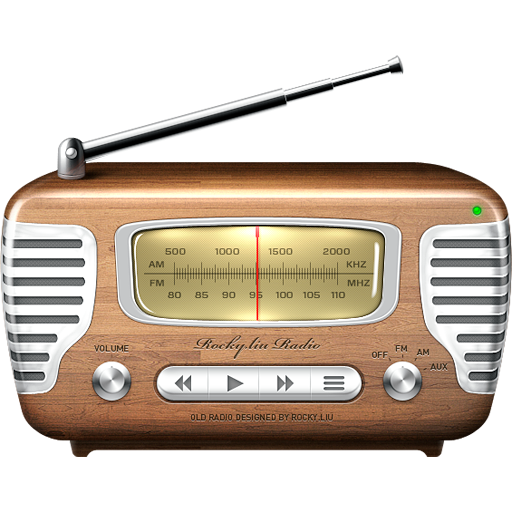
Radio stations began transmitting to a small group of teachers in the early 1920's—it's far reach and live-stream made it one of the most powerful tools in education. Students were able to listen to programs and even interact with them, extending lectures outside the classroom.
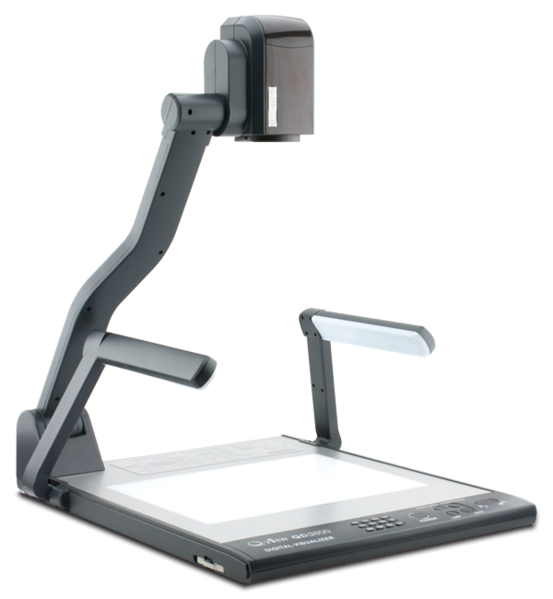
A popular tool still used today, the overhead projector allowed teachers to demonstrate materials on a screen while facing a group of students, facilitating discussion. Its elbow-length height makes the device conducive to writing, making it easy for teachers to continue lecture by demonstrating a concept by hand.
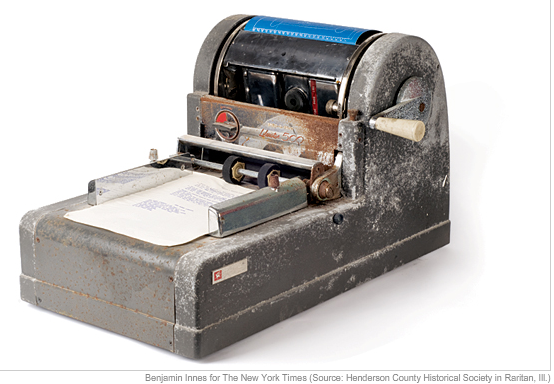
The mimeograph was used to make copies of materials for classrooms by hand cranking a machine. It was used by teachers to make duplicates of lectures or stencils in a cheap and efficient manner.
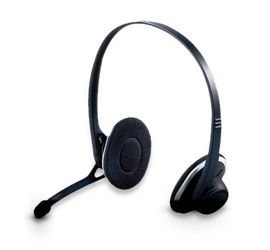
Used primarily for language-learning purposes, headsets allow students to walk through various drills to better install key grammatical structures in their linguistic skill set.
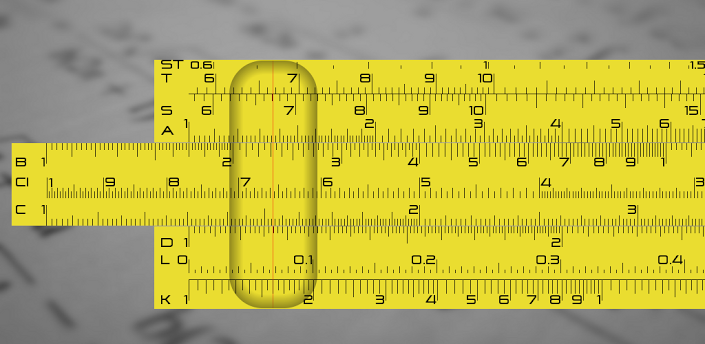
A predecessor to the calculator, the slide rule computed mathematical computations by finding the numbers that align with the marks on the appropriate matching strips. Also known as a slipstick, the slide rule was mainly used for multiplication and division, and sometimes for roots, logarithms and trigonometry.
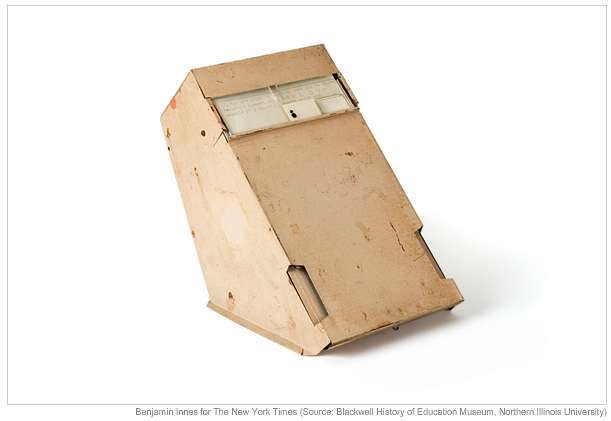
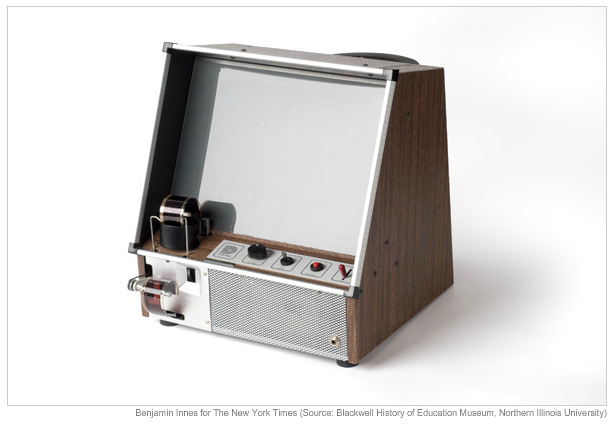
This mechanical invention, presented by B.F. Skinner, allowed users to walk through programmed instructions and answer provided questions. Its ability to provide immediate responses kept students interested, making it a major competitor in teching tools during the late 1950s.
These programs were centered on classroom instruction (formal) and cultural, lifelong learning (informal). ETV provided programming that emphasized literacy, mathematics, science, geography and foreign language, which is capitalized on in the Public Broadcasting System (PBS).
These machines allowed individual students to view filmstrips on their own, providing a more personal form of teaching.
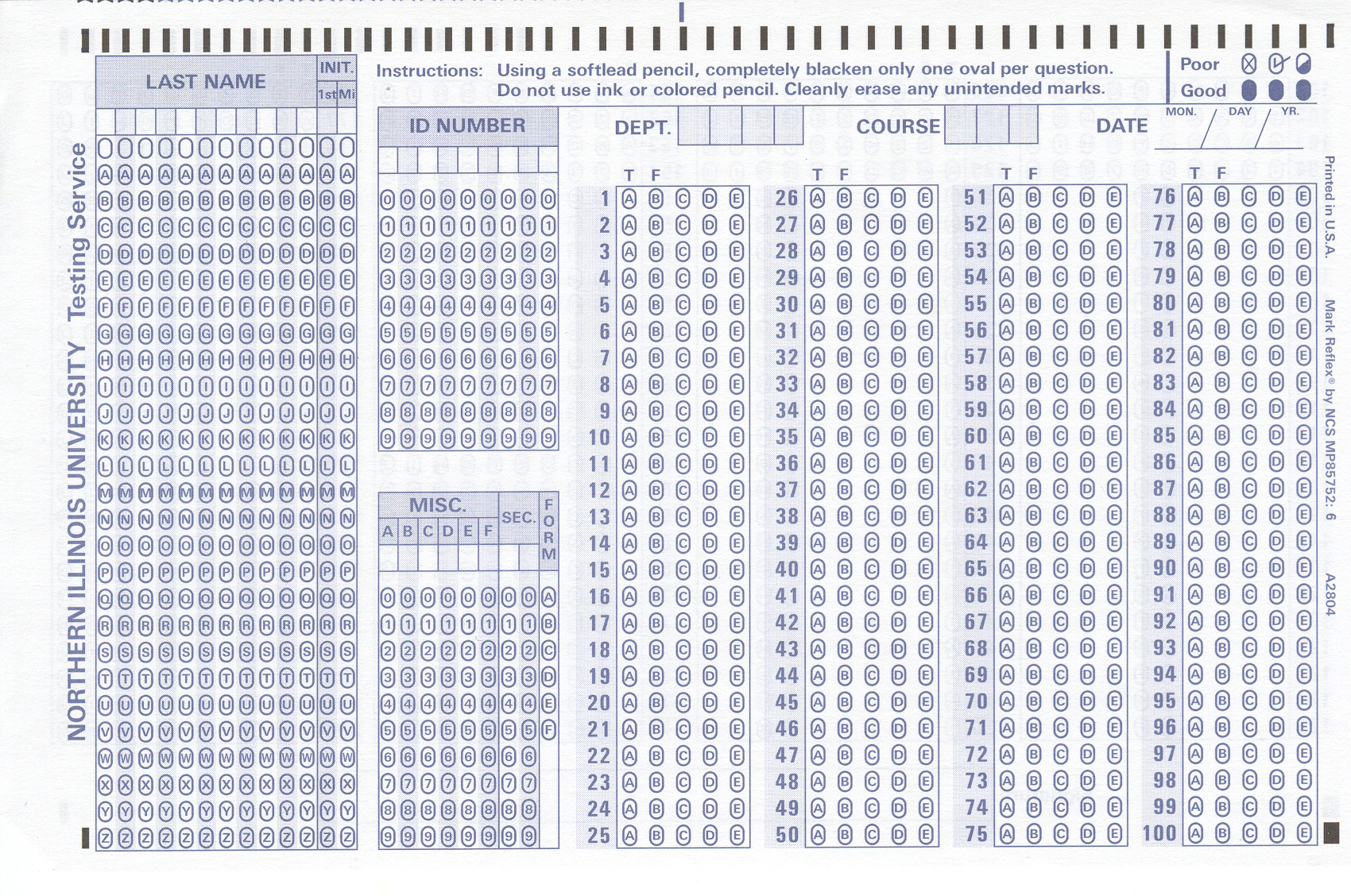
Scantron Corporation created a grading system that alleviated the burden of hand grading students’ multiple choice tests, saving teachers a lot of time they could put towards crafting lectures.
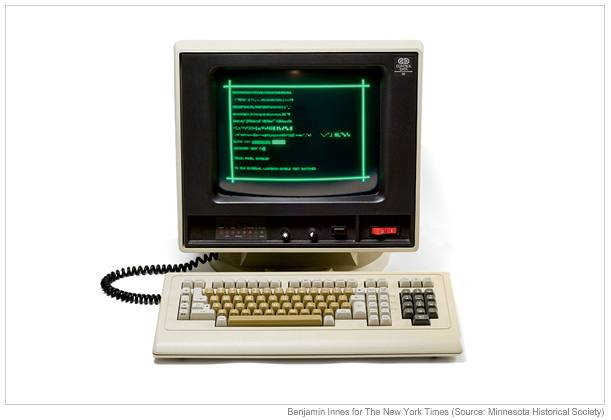
The Programmed Logic for Automated Teaching Operations (PLATO) was the first computer instruction system. Schools in the U.S. soon began implementing them in classrooms, with one computer for every 92 students in 1984. In 2009, this ratio increased to 5.3 to 1, according to the Institute of Education Sciences.
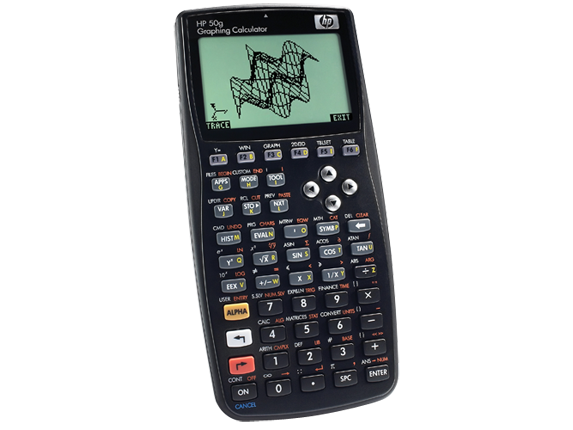
Graphic calculators made demonstrating equations much easier, and more reliable, for students. In North America, high school math teachers allow and sometimes even enourage their students to use them in class.
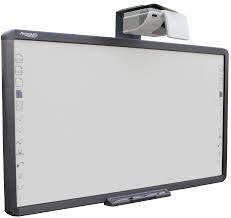
An interactive whiteboard (IWB) is an interactive board that when connected to a computer, displays the desktop onto the board’s surface. The user then has control over the computer which will be demonstrated on the screen.
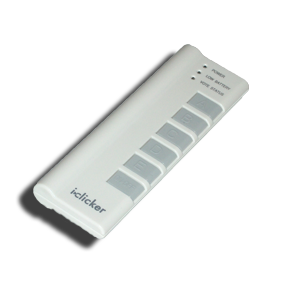
Clickers are polling options for instructors to use to administer quizzes and surveys and receive immediate results in a larger classroom setting.
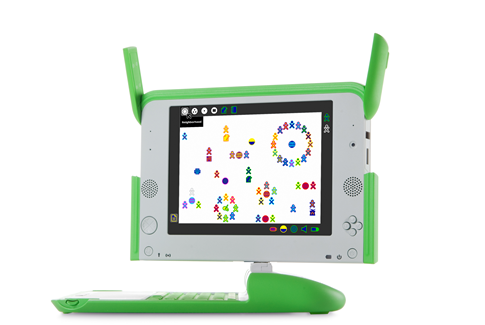
This device is targeted towards children--it is durable, cheap, and waterproof! The product is part of the One Laptop per Child program, where they are shipped off to developing countires for less than $200 apiece.
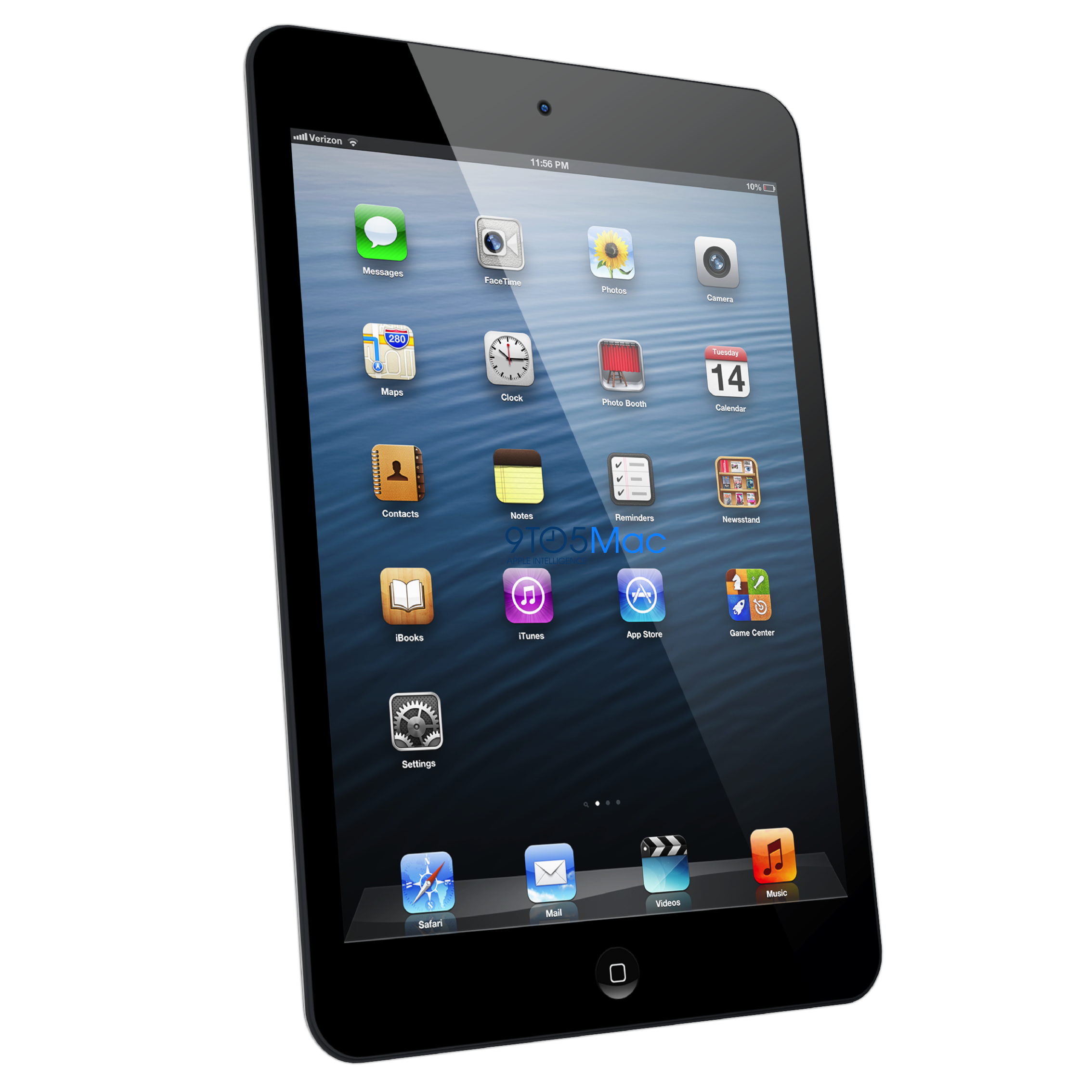
Apple's newest device, the iPad, rivals learning from physical textbooks. Its online library has the potential to make actual books obsolete and its plethora of educational apps is changing the way children learn in so many ways.
For all the benefits of the tablet, it should not be misinterpreted as a solution for every situation. Sometimes, Ziemke says, there is a pressure to use the iPad for every single lesson. Because the device is an expensive tool, teachers think it necessary to incorporate the iPad in every lesson, which may not always be the best tactic.
"You need to use it when it makes sense," says Ziemke. "When it makes sense to use crayons and markers and watercolors, we use that because we want [students] to be fluid and flexible." Using a variety of mediums provides students the chance to document their thinking in many different ways.
Russom also stresses the importance of not seeing the iPad as a "cure-all" for educational problems.
"I don't believe the iPad has the potential to solve problems to any greater degree than any of the previous technological tools," he says. "Good teaching is good teaching. A good teacher can use tools very well, and a bad teacher will use them not as well. I think the iPad has a lot of potential in the hands of capable teachers."
This means setting clear expectations for how the iPad will be used to target specific skills, how the children should use them, and how the teacher will follow up on the data. Creating this kind of accountability for both teachers and students is what drives positive results, according to Russom. eSpark's results certainly attest to that.
"Student engagement is off the charts," Russom boasts. "Teachers say the students are far more engaged in iPads than they are in computers. Every single partner that we work with says that." In terms of student achievement, Russom says that eSpark sees a huge difference in the growth of students who use iPads versus students who do not. Students using the eSpark platform achieve two times more growth.
If results like these continue, and schools can adapt quickly as they learn from the current classroom trials, then perhaps in the next few years, there will be a definitive answer for whether or not iPads are a permanent, lasting solution.
Apps Worth Trying
According to Babble, a Disney affiliated parent blog, the following apps are the top choices in their respective categories for iPhones and iPads. Click on their names to learn more about them, and then perhaps download one!
The following apps are the best of the best according to Babble-and they're all safe for children over 4 years. Click on their names for more information!




These are the top rated apps in building children's vocabulary while still keeping it fun. Click on their names to see where you can download them!



These apps boost children's knowledge of the color wheel, and engages them in releasing their creativity. Click on their titles for more information!




These are the top rated apps that help children with their spatial recognition. Careful, though, once these are downloaded, there's no guarantee that the kids won't put them down! Click on the titles for more!



These apps encourage literacy by storing childrens books right on the device. The animations and bright colors in each app make reading more engaging, too! Click on the titles to purchase.




The following apps are the top rated educational applications that are free. There's one for every category--art, reading, math, vocab, and spatial recognition. Click on their titles for more!